Back to Blog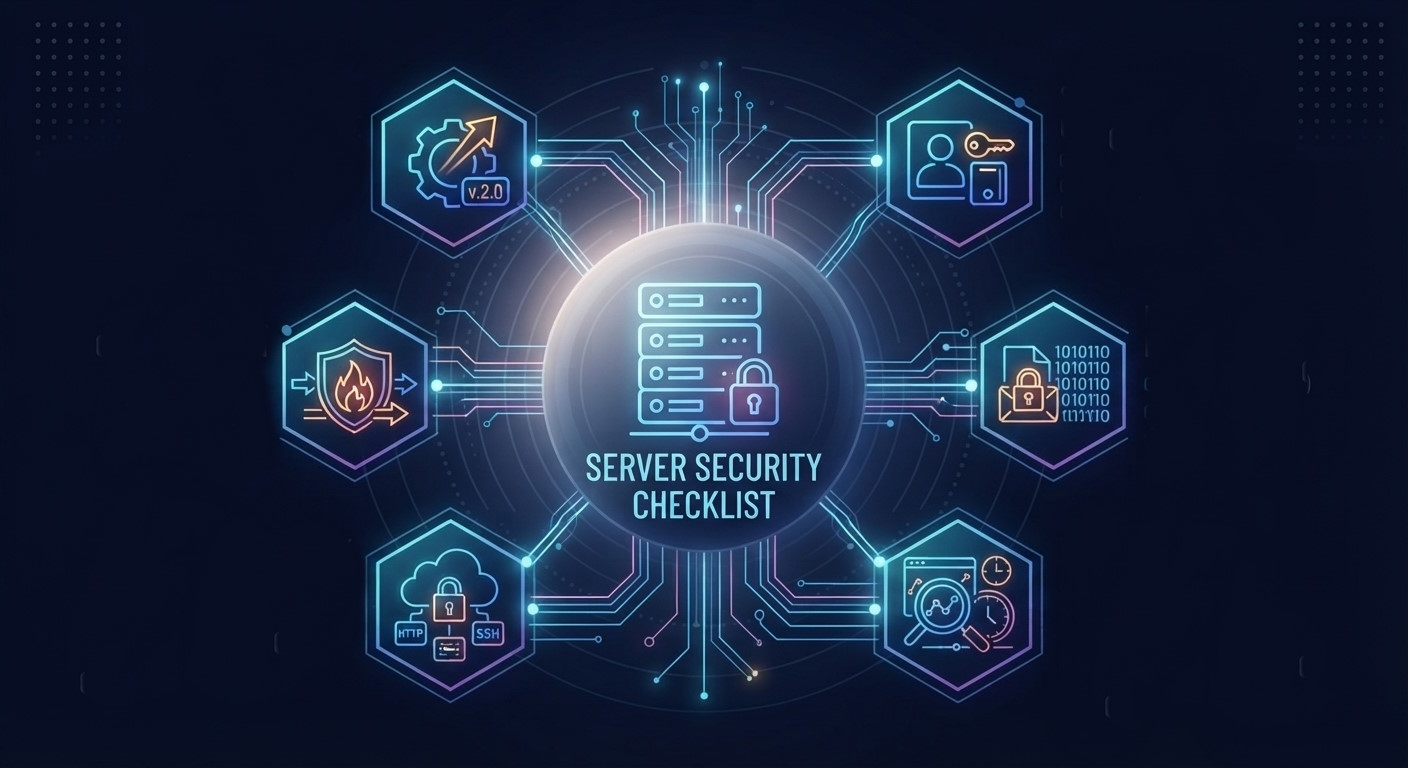




Monica Jansen
Jul 17, 2026
Server Security Checklist: Best Practices For Server Hardening
With cybercrime increasing year after year, safeguarding your online business is vital. Thankfully, a server security checklist with tips and best practices will help you keep risks at bay.
On that note, this guide will tackle the following:
Read on to get all the details.
Why Do You Need a Server Security Checklist?
Leaving your security to chance exposes you to various threats, such as malware and hacker attacks. A breach can, in turn, result in service interruption, data loss, and legal issues.
As a consequence, you risk losing customer trust. To make matters even worse, a safety incident can significantly harm your SEO.
The Latest Cyber Threat Data
Due to all this, poor safety measures could cost you a lot of money. According to statistics, small and mid-sized businesses lose $25,000 on average because of cyber attacks.
When you also consider that cybercrime rates have increased by 300% since the start of the COVID-19 pandemic, it's clear that tight security is vital.
On top of protecting you from financial loss, it'll help you maintain a positive reputation, retain clients, and attract new ones.
The Potential Difficulties
Admittedly, hardening a server is a complex process that requires consistent effort from the whole team. Luckily, a security checklist will simplify this task and help keep your business safe in the long run.
It’s also worth mentioning that there’s no foolproof method of preventing a breach. In other words, a server is never a hundred percent safe.
Therefore, the aim isn’t to eliminate the risk but to reduce the attack surface by fixing as many weak points as possible.
With all that said, we’ll touch upon some of the widespread threats.
Common Security Risks
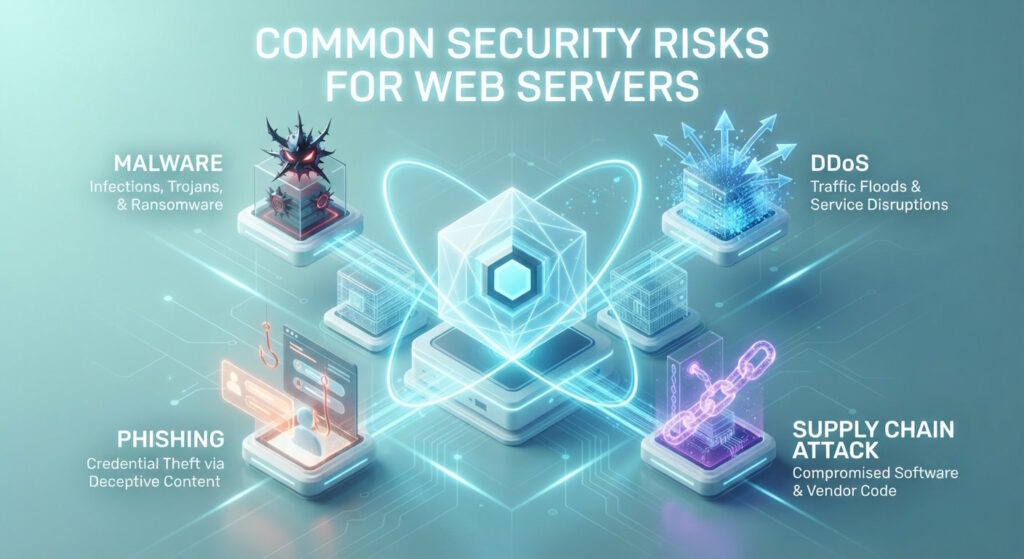
To protect your server, you first need to be aware of the common risks. Security threats come from various sources, including:
- Malware: Malicious software, such as viruses, worms, or trojans, developed to harm computer systems, steal data, and more
- DDoS attacks: Disrupting service by flooding servers with traffic
- Unauthorized access: Outsiders gaining access to the server
- Weak passwords: Login details that are easy to guess or crack
- Lack of encryption: Lack of SSL encryption makes it easy for attackers to obtain your and your clients’ data
- Outdated software: Such software is an easy target for hackers
- Inside threats and human error: Employees can cause a breach by accident or on purpose
- Zero-day vulnerabilities: Newer software can have potential exploits that haven't yet been patched out.
- Phishing: Sometimes it's as simple as defrauding people online to get access to login details.
- MitM attacks: Hackers can also intercept online communication in which sensitive information is shared and steal it.
- SQL injection: Malicious SQL code can be inserted into databases to gain access to restricted information.
- Supply chain attacks: These attacks harm the target indirectly, through third-party vendors who are first infected with malware.
- Physical attacks / natural disasters: A low-tech approach like tampering with hardware or physical damage from earthquakes or storms.
Server Security Checklist
At last, here are the tips and best practices to help you harden your dedicated server.
Control User Access
Strict control over who has access and to what extent will protect your server from both hackers and your staff. In that sense, there are several steps that you can take.
Limit Root User Access
In short, the root user has full control over the server. This account is able to install and delete software, perform updates, manage content, and more.
Unsurprisingly, hackers often attempt to crack root passwords and gain unlimited command over servers.
Because of this, it’s a good practice to disable the root user for remote access and create limited accounts for usual admin tasks.
In addition to that, only the top administrator should have access to and change the root password regularly, only using it when necessary.
Give Each User Minimal Permissions
In line with the previous tip, you need to manage who has access to what controls on your server. On that note, keep in mind that less is more.
The principle of least privilege suggests that each employee should have only the permissions that they truly need to perform their tasks. By following this rule, you’ll minimize the risk of human error and help avoid data leaks.
Use Strong Passwords
Creating strong passwords for each account is essential. In general, that means coming up with a complex combination that’s hard to predict or guess.
First and foremost, steer clear of personal info like names, birthdays, and anniversaries. Also, avoid straightforward dictionary phrases.
Instead, go with a string of upper-case and lower-case letters, numbers, and special characters. As for length, you should aim for at least 12 characters, but 15 or more is far better.
Just as importantly, don’t write your passwords down on paper because there’s always a risk of someone seeing and misusing them.
Conveniently, reliable password management software can help solve all of the above; it’ll generate strong passwords and store them safely.
Regularly Update Passwords
Regular password updates will reduce the time window for hackers to crack them. On top of that, they'll stop outsiders, including former employees, from logging in.
While the optimal frequency depends on various factors, it’s generally recommended to change passwords at least every three months.
In any case, it's best to create a schedule to let all employees know when an update is due. Needless to say, you should change all passwords as soon as possible in case of an incident.
Use Two-Factor Authentication Method
A two-factor authentication (2FA) adds an extra layer of protection. It involves setting up an additional step for logins, such as a one-time code or fingerprint.
Thanks to that, no one outside your staff will be able to sign in, even if a password is leaked.
Monitor Login Attempts
Hackers often try to crack passwords by trial and error. This method is known as brute-force attacks.
To lower the risk, keep an eye on login attempts, and if you notice someone trying to break in, block that IP address.
Software like Fail2Ban can help you automate this process. It will monitor logins and ban clients who repeatedly fail to authenticate.
Additionally, tracking log activity will help you discover if a breach has already occurred. In that case, being aware of the facts will allow you to take the necessary steps to mitigate the damage.
Update Your Software
Keeping your software up to date is an essential security practice. It allows you to fix any existing bugs and errors by applying the latest patches.
In this way, you'll prevent hackers from taking advantage of flaws in your system.
All you have to do is frequently check for new versions and upgrade your OS, browsers, plug-ins, and other components. For best results, aim to update your software each week.
Scan for Malware
Different types of malware may steal, modify, or destroy your data. The consequences, such as damaged reputation, lost business, and recovery costs, can be severe.
That’s why it’s vital to minimize the risk of an infection. In addition to keeping your software up to date and using intrusion prevention and detection systems, you need to run regular malware scans.
Antivirus software can detect and quarantine malicious programs before they cause damage. Since malware keeps evolving each day, you should also routinely update your antivirus tools.
Store Backups
Despite your efforts, you can never truly eliminate the risk of a hacker attack, malware infection, system failure, or natural disaster. Unfortunately, all of these could result in data loss.
That’s where backups come into play; in the worst-case scenario, they’ll allow you to recover the lost data.
With that in mind, you should schedule backups at least once a week or, if possible, every day.
For maximum safety, your data needs to be encrypted and stored in multiple locations. In particular, following the 3-2-1 rule is a good practice.
This method involves making at least three copies of the data (the original plus two backup versions). Two of the copies should be on-site but on separate devices, while the third one stays off-site.
Use a Firewall
You can look at your firewall as the first line of defense. Like a barrier, it keeps anything unwanted away from your server.
More specifically, a firewall helps you control and filter traffic, limit access to ports, and block unwanted IP addresses. To make the most of this tool, you need to configure and maintain it.
Define the Rules
By setting up firewall rules, you can allow or restrict access to specific services.
To strengthen your defenses, start with a default deny policy. In other words, block all access by default and only permit desired traffic.
Conveniently, you can create zones for different types of services. Since you get to manage each zone separately, you'll be able to define more complex settings.
While you want your public website to be available to everyone, it’s best to follow the least privilege principle with other zones.
That means only allowing traffic required for the functioning of each service. Also, avoid broad-range rules and approve specific IP addresses whenever possible.
Test Your Configuration
After defining the rules, it’s time to test your firewall to see if it works as expected. Does it block any legitimate traffic? Does it permit unwanted access?
Limit Access to Firewall Management
As we stated earlier, you should restrict access to your systems as much as possible. Of course, the same goes for your firewall.
Keep the circle of individuals who can manage your firewall settings tight. Create strong passwords and make sure no one except a select few has access to them.
Review Your Firewall Rules
As your business grows, you’ll likely have to adjust your systems to fit your changing needs. To ensure that your setup reflects these changes, review and update your firewall rules along the way.
Check whether your configurations are still adequate and tweak them when required. Doing so will help reduce the attack surface and keep your server safe in the long run.
Use Secure Connectivity
While connecting to a remote server is vital for business operations, it can expose you to various threats. The following steps will help you minimize those risks.
Use VPN
Since it’s much easier for hackers to gain access to your server on an open network, you should use a virtual private network (VPN) instead.
A VPN lets you access a remote server as though you were on a private local network, thus providing a secure connection.
Close Unused Ports
Simply put, ports are virtual checkpoints that direct data traffic to the correct service on a device. As such, they can also serve as a gateway for hackers to breach your system and steal data.
In fact, each open port increases the attack surface on your server, making it more susceptible to hacker attacks. With that in mind, you should run regular scans to find open ports and disable the ones that are not in use.
Use SSH Protocol
Secure Shell (SSH) protocol is a tool that allows you to log into your server, run commands, send files, transfer data, and more.
Unlike Telnet, which was commonly used for this purpose in the past, SSH encrypts all communication so that hackers can’t use your data. Therefore, using SSH is an essential step in securing your server.
Change SSH Port
By default, SSH uses port 22. Since this port is a likely target of hacker attacks, changing it to a random number is much safer.
Specifically, you should pick one between 1,024 and 65,535 to avoid conflicts with well-known ports. When making this change, don’t forget to adjust your firewall rules and enable traffic on the new port.
Use SSH Keys
You can authenticate remote access using passwords or SSH keys. The latter is a better choice as it's much harder to crack.
In short, this method involves creating a pair of keys — private and public. The public key has several copies, and everyone who has one can encrypt and send data.
To decode the data, you'll need the private key. As there's only one copy of this key, even if someone intercepts your communication, they won't be able to read it.
Enable SSL Certificate
Similar to SSH, the SSL certificate secures data transfers. It encrypts the information, making it almost impossible for hackers to use any of it.
This is especially beneficial for businesses that handle user details, like email addresses, passwords, or credit card numbers.
Along with protecting data, an SSL certificate serves another purpose — server authentication. In other words, it proves that your website is indeed what you’re claiming it to be and not a scam site.
After obtaining an SSL certificate, your site will feature the well-known padlock symbol promising a safe connection. As a result, your customers will be able to browse your site and make payments with no concerns.
Conversely, a lack of an SSL certificate may result in warnings that will, in most cases, deter users from visiting your site.
Remove Unused Services and Software
Every piece of software increases the number of possible entry points for attackers. Hence, the fewer processes you run, the safer your server will be.
The risk is even higher with unused software, which, more often than not, lacks proper maintenance and the latest patches. Since you don't need it anyway, you should remove all the unused apps.
That way, you'll achieve two things: reduce the attack surface and simplify your admin tasks.
Use IDS and IPS
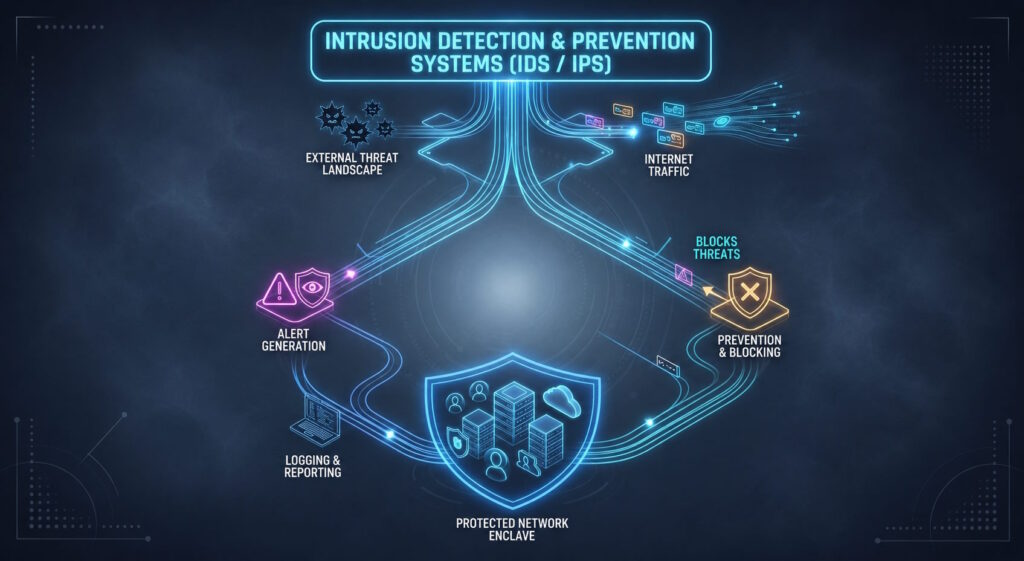
IDS (intrusion detection systems) and IPS (intrusion prevention systems) are tools that monitor networks for malicious activity. The former will alert you to a potential intrusion, while the latter will also prevent it by blocking the problematic traffic.
Using both IDS and IPS will help you detect threats early on and eliminate them before they create significant damage.
Run Tests and Audits
Finally, running tests and audits will serve as an extra layer of protection by helping you discover any weak points in your setup.
Run Vulnerability Scans
Performing monthly vulnerability scans is an efficient way to identify weaknesses. You can use free or paid tools for this purpose.
Since they offer different features, it's best to run multiple scanners. That way, you'll get more objective results and a better understanding of which elements you need to improve.
Use Pen Testing
Pen testing is short for penetration testing. Essentially, it functions as a simulated attack aiming to discover weak spots.
As a result, you get to see how your server would hold up in case of a real incident.
In most cases, pen testing involves hiring a white hat hacker who'll probe and evaluate your safety measures. While such services are often expensive, they can help fix flaws and bolster your defenses.
Audit Files
File audits allow you to discover unwanted changes in your server. In short, this approach involves keeping a record of your system in its normal state.
Comparing the current state to this record will help you spot any suspicious changes in your files down the line.
For example, if someone copies malware into your folders, file auditing will help you recognize and deal with the issue in a timely manner.
Stay Informed
As the online space evolves, so do the threats. Hackers keep getting more creative, always finding new ways to outsmart defenses.
That's why learning about the latest server security strategies is crucial. For instance, reading blogs and attending conferences are great ways to stay current with new trends and improve your own security policies.
And since keeping a server is a shared effort, you should also organize regular security training for your staff.
Conclusion
With cyber threats on the rise, a comprehensive defense strategy will give you the upper hand and allow you to protect your assets. Just as importantly, it'll help you build trust with your clients.
The tips and best practices we touched upon in this server security checklist will enhance your safety measures. Take advantage of them and let your business thrive risk-free.
Author
Monica Jansen
Monica Jansen is a seasoned tech writer focused on web hosting and cybersecurity. She loves doing deep dives and whittling down difficult topics into simple and succinct concepts. Whether she is covering firewalls or different hosting plans, she always strives to provide clear guides that website owners of all skill levels can follow.
Add your comment
Get content delivered straight to your inbox


Your data.
Your choice.
Work with the best of the best — your projects deserve it.