Back to Blog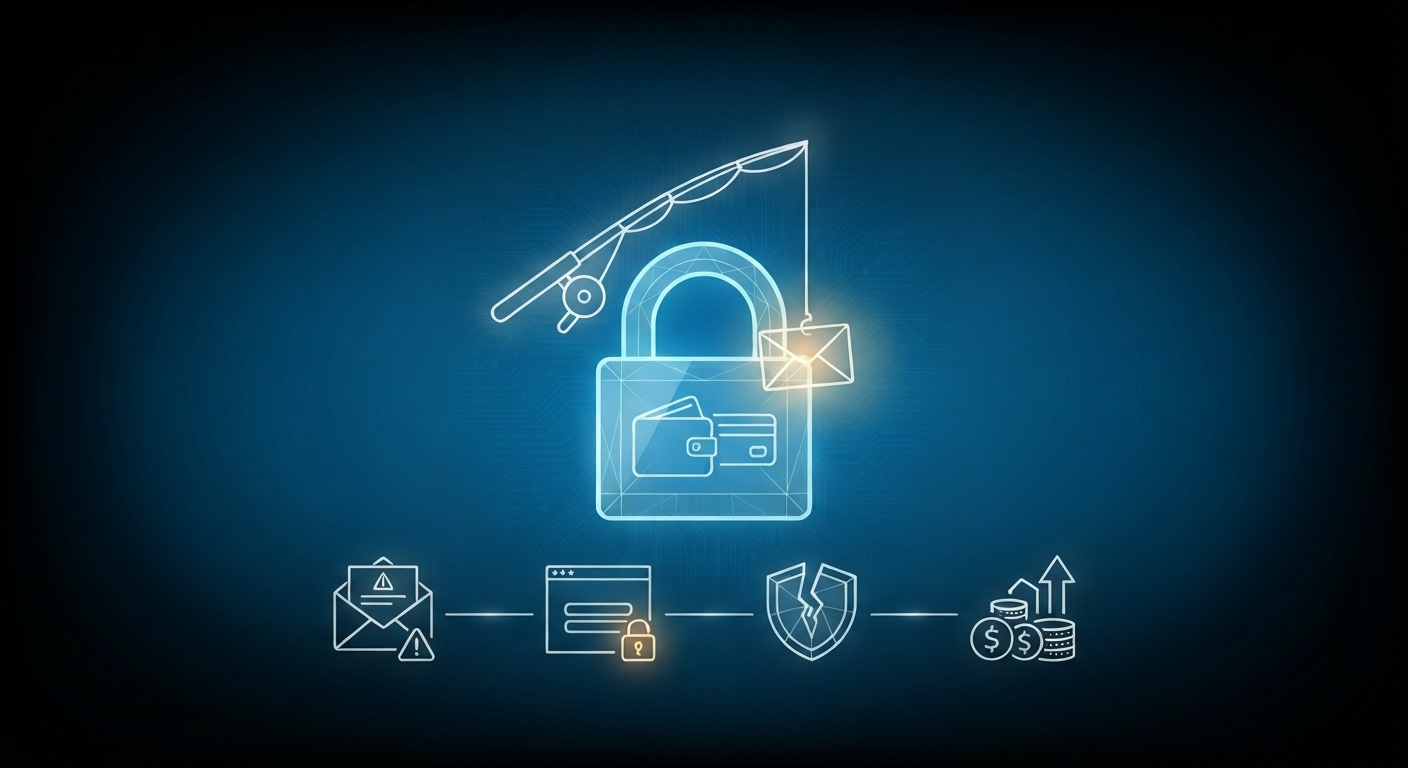


Monica Jansen
Aug 10, 2026
How To Avoid Phishing Scams: Online Safety 101
Today, cyberthreats are a reality that every internet user must contend with.
Phishing scams are among the most common types of these threats, as they are easy to create and distribute to unsuspecting users via email and text.
This fact makes them extremely dangerous—even for experienced users who know how to spot deceit.
In the sections that follow, we will do a deep dive into phishing scams and teach you how to recognize and avoid them, regardless of your knowledge and experience level.
- What Are Phishing Scams?
- Different Types of Phishing
- How to Recognize a Phishing Attack
- How to Protect Yourself From Phishing Attacks
- What If You Have Already Fallen for a Phishing Scam?
Read on, and take notes!
What Are Phishing Scams?
In the cyber world, phishing is a type of attack in which perpetrators contact people and pose as legitimate websites or organisations.
The goal is simple: tricking people into revealing personal data like passwords, usernames, and credit card information.
Often, these attacks are carried out via email, call, and text. The attacker sends a message that prompts victims to click on malicious links and input their information all on their own. If you fail to check your site for malware and address the issue early, it can have serious consequences.
That is the biggest issue that these attacks pose: instead of guessing your credentials or hacking you in a different manner, phishing scammers trick you into revealing your info yourself.
They manage to do so by creating a sense of urgency within their messages.
Different Types of Phishing
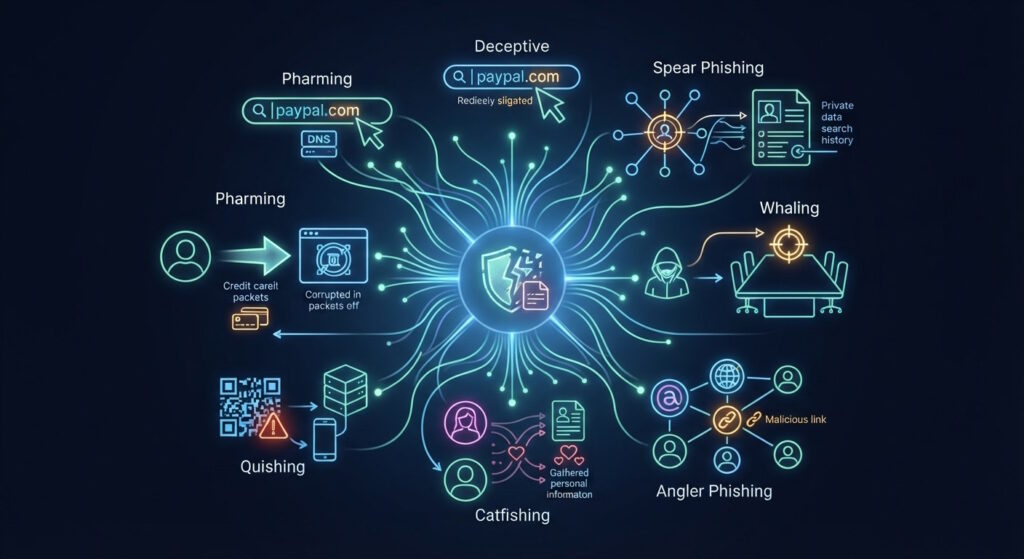
These are some of the most common phishing scams to look out for in 2026:
- Deceptive: A criminal will try to trick you into believing they are a legitimate business by using identical characters from various alphabets, typos, or similar subdomains in URLs.
- Spear phishing: More precisely targeted, focusing on a specific person in a company, using private information or recent online behaviour.
- Whaling: The target here is a higher-up, often a C-suite role, and the aim is to get access to highly confidential information or financial accounts.
- Angler phishing: Impersonating well-established brands on social media to lure people in and get them to click on a malicious link.
- Catfishing: The cybercriminal will impersonate a person, often a beautiful woman, online to gain information or even trick them into an online relationship and ask for financial favors.
- Quishing: A creative angle to the formula, using malicious QR codes to replace real ones on promotions, either sent via email or simply placed in areas of a city with high foot traffic.
- Pharming: An attack where people are redirected to full-blown fake websites that mimic those of popular financial institutions or e-commerce sites to get credit card information.
Now that we have covered the common variations of this scam, we can go over the steps to identifying one.
How to Recognize a Phishing Attack
Phishing remains one of the most common types of cyberattacks simply because it works so well.
Criminals often rely on emails, text messages, and even direct messages on social media or in online games to trick people into revealing sensitive details.
The most effective protection is awareness—knowing how to spot the warning signs before you fall prey to them.
Here are a few clues that an email or a text might be a phishing attempt:
Urgent or Threatening Language
The first and most important tip is to be cautious of messages that pressure you to take immediate action, such as clicking a link, opening an attachment, or calling a certain number.
These messages often warn of penalties or promise rewards to create a sense of panic or excitement.
The goal is to rush you into reacting before you can stop and think or ask someone you trust for advice.
When you receive such a message, it is important to remember these two points:
- No reliable and serious company would send you urgent messages like that.
- No one would ask you to input important personal details in a text message or email.
So, take a few deep breaths, ignore the messages, and get in touch with the company via phone to inquire about them contacting you.
New or Unfamiliar Senders
Getting a message from someone new, especially outside your organization, isn’t always unusual, but it can sometimes be a red flag.
If Outlook or Teams marks a sender as [External] or you don’t recognize their name or address, take a moment before responding.
Look over the message carefully, and use the other checks below to make sure it’s legitimate.
Only if you can verify that should you reply or take action as suggested in the email.
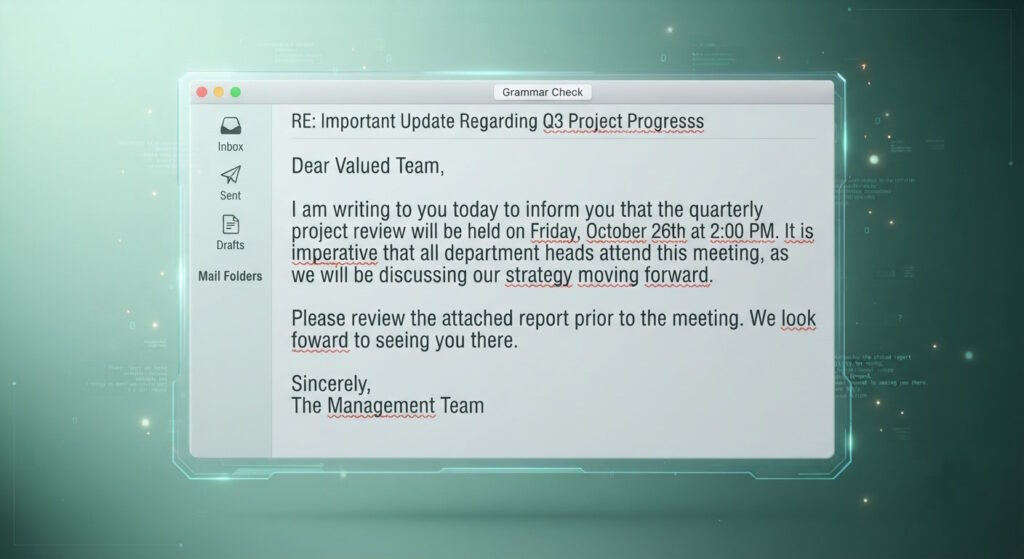
Spelling and Grammar Mistakes
The vast majority of professional organizations have editors and proofreaders to ensure their messages are polished and consistent.
So, if an email is full of typos, awkward phrasing, or strange grammar, treat it with caution.
These issues can stem from poor translations—or sometimes they’re intentional, designed to bypass spam filters that many companies and email providers have in place.
Generic Greetings
If the message starts with something impersonal like “Dear customer” or “Dear sir or madam,” it’s worth being skeptical of.
After all, companies you actually do business with will almost always address you by name.
A generic greeting could mean the sender doesn’t really know who you are, which is a huge red flag that you should not ignore.
Suspicious Email Domains
When you get an email or text, you should always double-check who the message is really from.
A legitimate company like your bank or Microsoft will use its own verified domain, not a public one like Gmail or Yahoo.
Look closely for small but sneaky misspellings too—like micros0ft.com (with a zero) or rnicrosoft.com (with “r” and “n” instead of “m”).
These subtle changes are common in phishing attempts, and they are the easiest giveaways you can spot to protect yourself.
Verification Warnings in Outlook
If Outlook displays a banner saying it couldn’t verify the sender of an email, that’s your cue to be extra careful.
It means something about the message’s technical details doesn’t add up—such as failing authentication checks or using an unusual “From” address.
Whatever the cause, treat these messages as potentially unsafe until you’re sure they’re legitimate.
Suspicious Links or Attachments
Finally, if you think an email or Teams message might be a scam, you should resist the urge to click on any links or open attachments.
Instead, hover your mouse over the link (without clicking) to preview the real web address.
Check whether it matches what’s written in the message—if it doesn’t, or if the address looks strange or unrelated to the supposed sender, it’s likely a phishing attempt.
For example, if hovering reveals a random string of numbers or a web address that clearly isn’t tied to the company’s official site, it’s best to delete the message right away.
Otherwise, you risk exposing your computer and data to hackers, and coming out of that unscathed is often impossible.
How to Protect Yourself From Phishing Attacks
Knowing how to recognize phishing scams is the most important piece of the puzzle, and we have covered it above.
However, it is not the only step you can take to protect yourself and avoid these attacks.
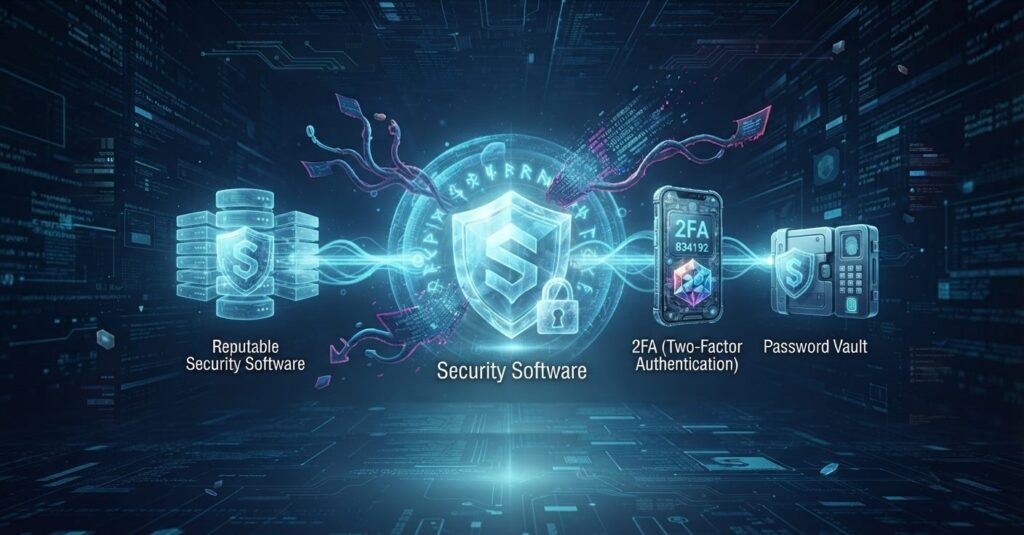
Install Reputable Security Software
Have trustworthy software on all your devices. Often, it will be all you need to have phishing messages flagged immediately.
Use Multifactor Authentication
Many websites and apps, including social media platforms and banking applications, allow you to create more than one set of credentials needed to log into your account.
These can include a fingerprint, a one-time code you receive via text, or a passkey
You can also set up two-factor authentication on your site using specialized anti-hacking hosting plans.
Either way, this type of authentication can ensure that, even if you do fall for a phishing scheme, your password alone won’t be enough for hackers to steal your data.
What If You Have Already Fallen for a Phishing Scam?
Speaking of falling victim to phishing—it happens more often than you can imagine. It can also befall anyone, regardless of their experience or tech-savviness.
That is especially the case with modern scams, which look so deceptively real and trustworthy that it is truly hard to tell them apart from the real deal.
So, since no one is perfect and becoming a victim of phishing is never impossible, it’s good to know what to do if it happens to you.
If you think you might have fallen for a phishing scam, the most important thing is to act quickly.
- Write Down Everything: Cover all the details you remember about the incident while it’s still fresh.
- Note where it happened: Whether it was in Outlook or Teams, and list any sensitive information you may have shared, like usernames, account numbers, or passwords.
- Change your passwords immediately: Go over all the affected accounts, as well as any others that use the same credentials, and change them.
- Set up unique, strong passwords: You'll need more secure ones for each account you use to reduce future risk.
- Enable MFA: Opt for multifactor authentication wherever possible.
- Contact your IT support team: If the attack involved your work or school accounts, reach out to IT right away so they can investigate and secure your organization’s systems.
- Contact your bank: If you have shared financial details, such as credit card or bank information, get in touch with your bank or card provider to warn them of potential fraud.
- Report the incident: If you’ve suffered financial loss or identity theft, report it to your local law enforcement.
The notes you made earlier—such as the info you have given—will be valuable in helping them understand what happened and take the next steps.
Conclusion
Phishing attacks are constantly evolving, but a little awareness goes a long way toward keeping your information safe.
By staying alert to red flags—like suspicious links, unfamiliar senders, or urgent demands—you can stop most scams before they cause any real harm. It's also a good idea to look at secure VPS hosting plans if you are running your own website.
Whatever the case, you should always take a moment to double-check messages that feel off, and never share personal details unless you’re sure who you’re dealing with.
Turning on multifactor authentication and using strong, unique passwords adds another solid layer of defense.
In the end, careful attention and a healthy dose of skepticism are your best tools for staying one step ahead of cybercriminals.
Author
Monica Jansen
Monica Jansen is a seasoned tech writer focused on web hosting and cybersecurity. She loves doing deep dives and whittling down difficult topics into simple and succinct concepts. Whether she is covering firewalls or different hosting plans, she always strives to provide clear guides that website owners of all skill levels can follow.
Add your comment
Get content delivered straight to your inbox

Your data.
Your choice.
Work with the best of the best — your projects deserve it.