Back to Blog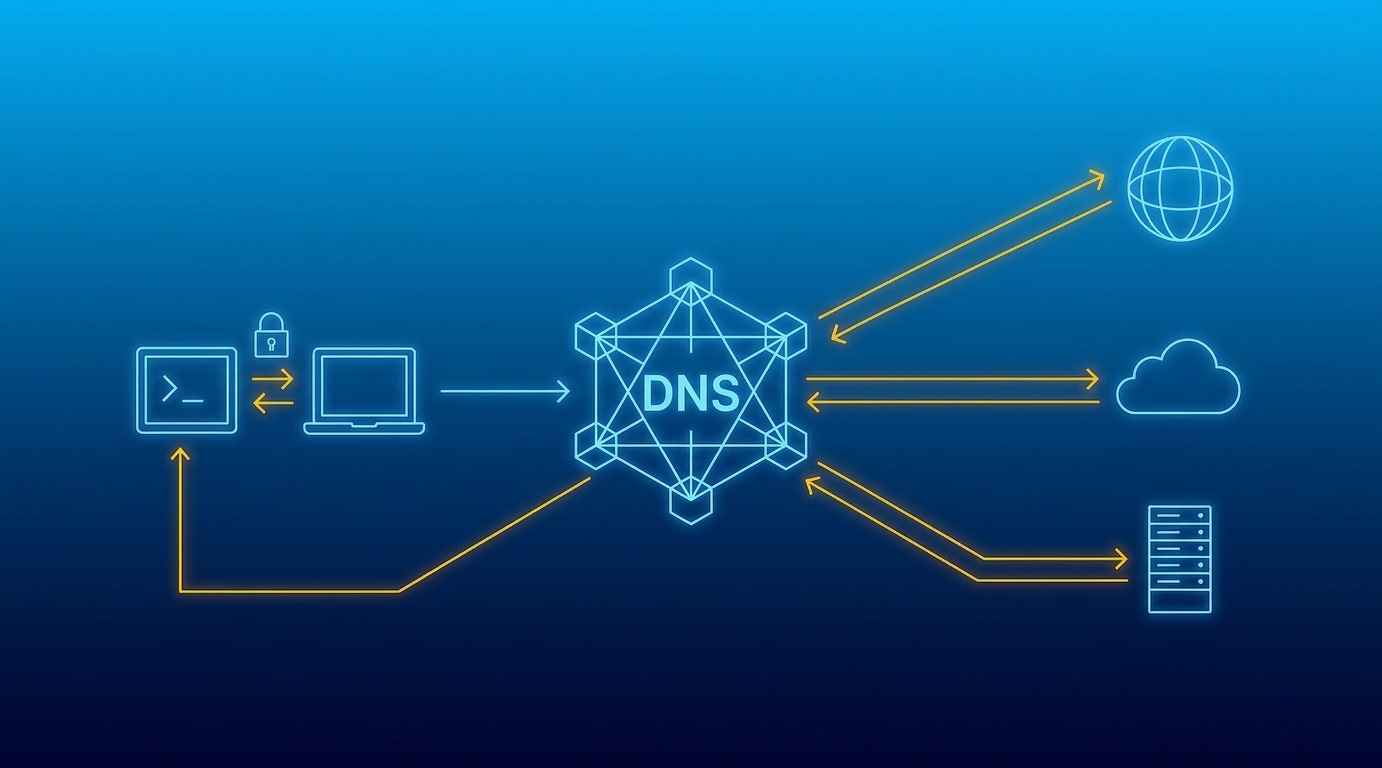



Monica Jansen
Aug 24, 2026
What Is DNS and Why Is It Important?
Behind every online interaction, there are countless technologies working behind the scenes to keep the internet running smoothly.
Whether you’re accessing a website, sending an email, or using an online service, you expect it to happen almost instantly.
But have you ever wondered how your device is able to find exactly what you’re looking for in just a matter of seconds?
One of the key building blocks of the internet as we know it today is the Domain Name System (DNS). While it often goes unnoticed, it plays a crucial role in taking your device to the right destination quickly and reliably.
In this guide, we’ll break down what DNS is, how it works, and why it is important for you and your business.
- What Is DNS
- What Is a DNS Server?
- How Does DNS Work?
- What Is DNS Caching?
- Why Is DNS Important?
- DNS Security
What Is DNS?
You can look at DNS as your web phonebook.
Think of how smartphones have eliminated the need for us to remember phone numbers, as we can find them in our contact list by searching for the contact name.
In the same way, DNS translates the domain name you entered into a browser-readable IP address. Once found, it directs your device to access the web page you are looking for.
What Is a DNS Server?
A DNS server is a computer that holds the database of IP addresses and the domain names they are connected to.
Behind it is a complex hierarchy that is built to keep up with the expanding database and help you seamlessly access the needed information.
Before we dive into how it actually works, it’s good to understand the key components of the DNS structure.
Namely, there are several layers, each having its own distinctive role in the process:
- Recursive resolver
- Root name server
- TLD name server
- Authoritative name server
Recursive resolver
A recursive resolver, also known as a DNS resolver or a recursive server, is the first step in a DNS query.
These servers act on your behalf to try to find the website you are looking for. DNS resolvers also cache (temporarily save) recent search results to help with the efficiency of future requests.
When you enter a website name into your browser, the browser connects to a recursive resolver to complete the request. The role of the resolver is to check the cached memory to see if the data is already stored.
If it finds the information, it takes you directly to the desired page. If not, it sends the request for you through the rest of the DNS system to find the answer.
Root name server
If the resolver does not have the answer saved, the next step is to ask the root name server.
The role of a root name server is not to find the exact IP address, but to direct your query based on the ending of the webpage address (such as .com, .net, or .org).
TLD name server
Once the root server gives the direction, the resolver reaches out to the TLD name server responsible for that specific domain extension.
For instance, if you’re looking for a .com website, the resolver would direct the question to the .com TLD server.
This server manages all domains under that extension and points the resolver to the corresponding authoritative name server holding that domain’s details.
Authoritative name server
Finally, the resolver contacts the authoritative name server, which holds the final answer.
It finds the IP address for the site you requested and sends it back to the recursive resolver. The resolver hands over the information to your browser, and the page loads right in front of you.
If, however, it is not able to find the website, this server will let you know with an error message instead.
How Does DNS Work?
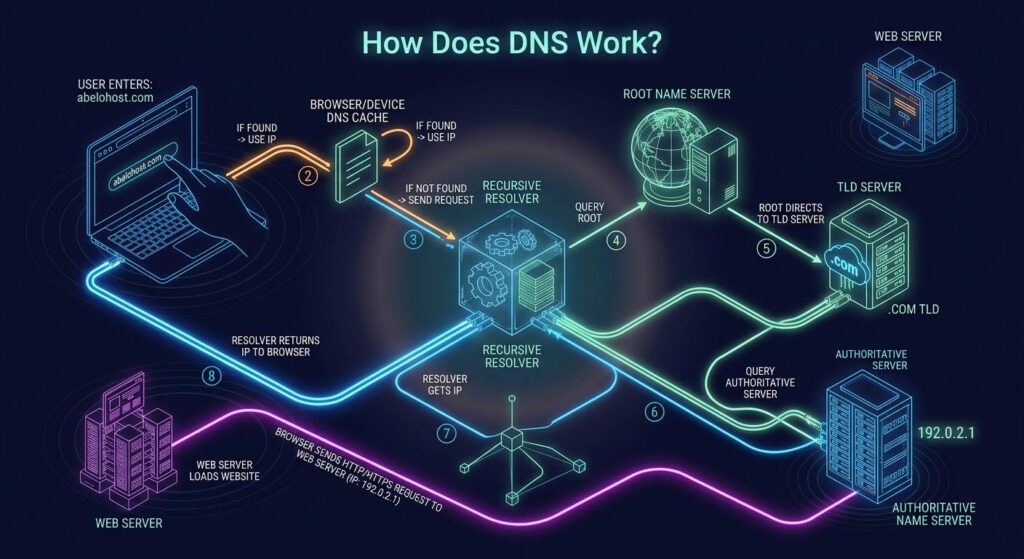
Here’s what happens behind the scenes when you enter a website address into your browser:
- You start by typing a web address into your browser (for example, abelohost.com).
- Your browser first checks its cache, and then your device’s DNS cache. If you’ve visited the page before, the IP address is likely already stored. This way you can be taken directly to the page and skip the remaining steps of the DNS lookup.
- If the IP address isn’t found in the cache, the request is sent to the DNS recursive resolver to begin the lookup process.
- If the DNS resolver doesn’t already know the answer, it queries a root name server to determine where to look next.
- The root name server responds by directing the resolver to the appropriate TLD server based on the domain’s extension (in our example, that would be the .com TLD).
- The resolver then queries the authoritative name server, which returns the IP address associated with the given domain name.
- The recursive resolver returns the IP address to your browser.
- Using the IP address, the browser sends an HTTP or HTTPS request to the web server, which responds by loading the website.
Although this may seem like a lengthy process, it typically takes only a few milliseconds thanks to DNS caching and the optimized structure that helps the internet run smoothly.
What Is DNS Caching?
The DNS lookup process is designed to be quick and efficient. Even so, repeating the entire process every time you visit a website would create unnecessary delays. That’s where DNS caching comes in.
DNS caching temporarily stores previously retrieved DNS data, allowing your device to reuse it for future visits. That reduces the number of lookups and speeds up your browsing experience.
DNS data can be cached in several locations throughout the lookup process. Each cache uses a time-to-live (TTL) value, which determines how long the stored information remains valid before a new DNS query is needed.
The most common types of DNS caching occur in your browser and your operating system (OS).
Browser caching
When you enter a web address into your browser, this is the first location that is checked for a cached entry. If you’ve recently already visited that page, your browser may already have the DNS data stored and can load the website more quickly.
Operating system caching
If the browser doesn’t find the cached entry, your operating system will check its own local cache. If a matching entry is found there, it’s returned to the browser. Otherwise, the request is sent to a recursive DNS resolver to continue the lookup process.
Why Is DNS Important?
Simply put, without DNS, you wouldn’t be able to access pages using their domain names. If DNS wasn’t working behind the scenes, your browser wouldn’t know where to find the website.
The alternative would be memorizing the IP address of every website you want to visit—a task that wouldn’t be quite practical for everyday use.
However, DNS does much more than make websites easier to access.
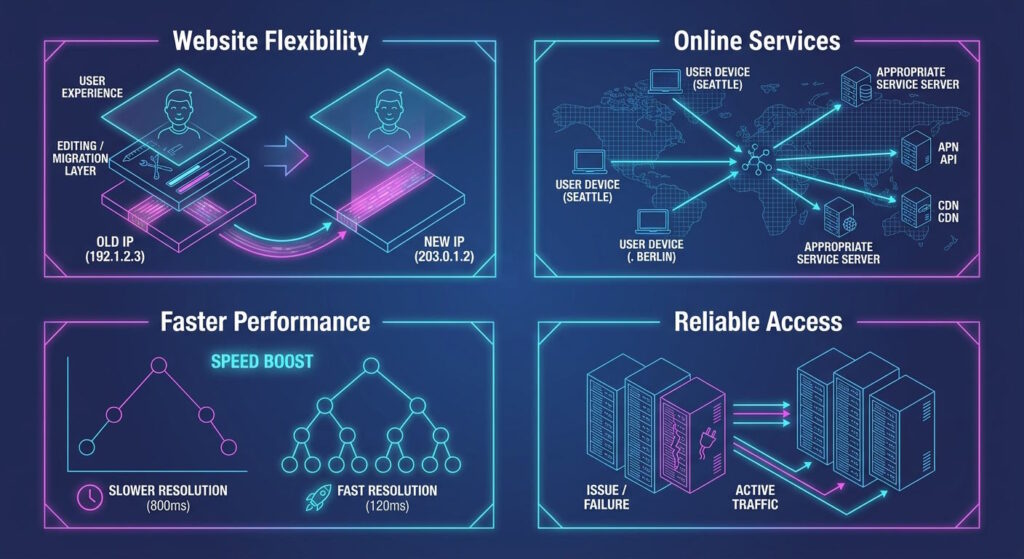
Website Flexibility
If you’re running a business, your website is only valuable if your customers can reliably reach and use it. To that end, DNS gives you the flexibility to make changes in the background without affecting the user experience.
For example, if you switch web hosts or move your website to a different server, its IP address is likely to change. Instead of asking visitors to use a new IP address, you can simply update the DNS records.
In this way, users can continue accessing your website through the same domain name.
Online Services
DNS is essential in email communication as well. When you send an email, it helps locate the recipient’s email server, ensuring your message reaches the right destination.
The same applies to many applications and cloud services. DNS helps connect users to the appropriate servers, making these services reliably accessible from different locations.
Faster Performance
Speed is another important part of the user experience. By storing previous lookup results, DNS caching reduces the need for repeated queries and helps users reach websites faster.
A well-optimized DNS setup can further reduce response times, which becomes particularly valuable for websites with visitors from various different locations.
Reliable Access
Of course, speed doesn’t mean much if a website isn’t consistently available. Reliable DNS structure can spread requests across multiple servers, helping keep the website accessible even when one server experiences an issue.
That means fewer disruptions for visitors, whether you’re dealing with a sudden increase in traffic or an unexpected server issue.
DNS Security
With such an important role in connecting users to countless online services, DNS naturally comes with its own security risks. Different types of attacks can interfere with DNS requests, redirect traffic, or make online services unavailable.
Understanding the most common threats—and how they’re prevented—is an important part of keeping DNS secure.
Some of the most common DNS attacks are:
- DNS cache poisoning (spoofing): Inserting a false DNS entry into the resolver’s cache, causing it to send users to a malicious website until the cached record expires.
- DNS hijacking: Changing DNS settings to redirect requests to an unintended destination.
- DNS tunneling: Using regular DNS traffic to secretly transfer stolen data or communicate with malware.
- DNS DDoS attack: Overwhelming DNS servers with large amounts of traffic, making it difficult for legitimate requests to get through.
Staying Safe
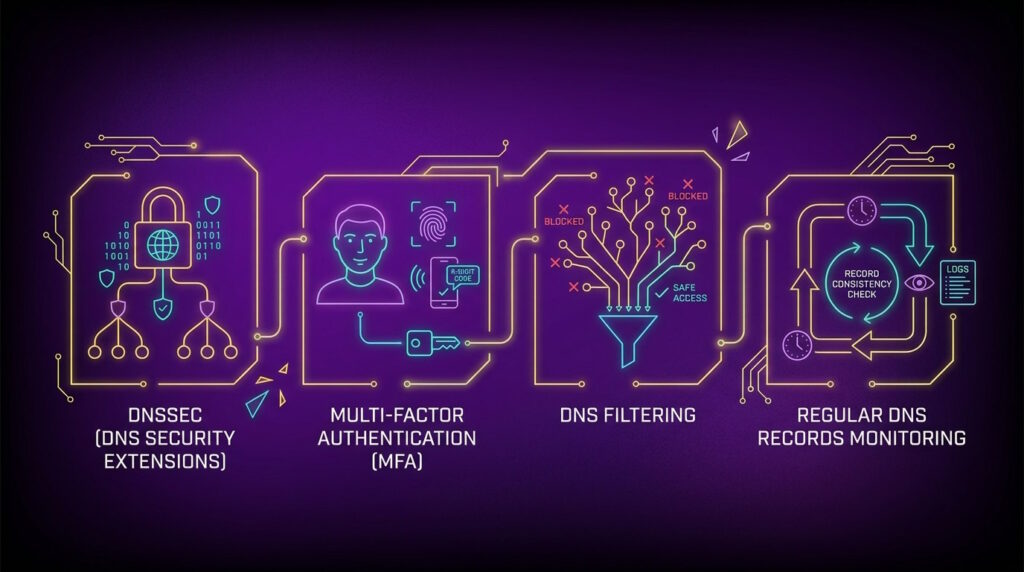
Protecting DNS from potential threats doesn’t rely on a single solution. Instead, you can use several measures to reduce the risks:
- DNSSEC (DNS security extensions): Verifies that DNS records are authentic and haven’t been altered on their way to the user.
- Multi-factor authentication (MFA): Aids with preventing unauthorized access when added to domain registrar and DNS provider accounts.
- DNS filtering: Blocks access to known malicious domains, helping prevent users from reaching harmful websites.
-
- DDoS protection: Helps detect and restrict unusually large amounts of traffic before they disrupt DNS services.
- Regular DNS records monitoring: Helps identify unusual activity and potential risks.
Conclusion
The Domain Name System may work quietly in the background, but it plays an essential role in how we use the internet every day.
From accessing websites to sending emails and using online services, it keeps all connections simple, fast, and reliable.
For website owners, choosing a reliable hosting provider and having a well-managed DNS setup go hand in hand. Both play an important role in creating an online presence visitors can rely on.
After all, a great website only matters if people can reach it.
Author
Monica Jansen
Monica Jansen is a seasoned tech writer focused on web hosting and cybersecurity. She loves doing deep dives and whittling down difficult topics into simple and succinct concepts. Whether she is covering firewalls or different hosting plans, she always strives to provide clear guides that website owners of all skill levels can follow.
Add your comment
Get content delivered straight to your inbox



Your data.
Your choice.
Work with the best of the best — your projects deserve it.