Back to Blog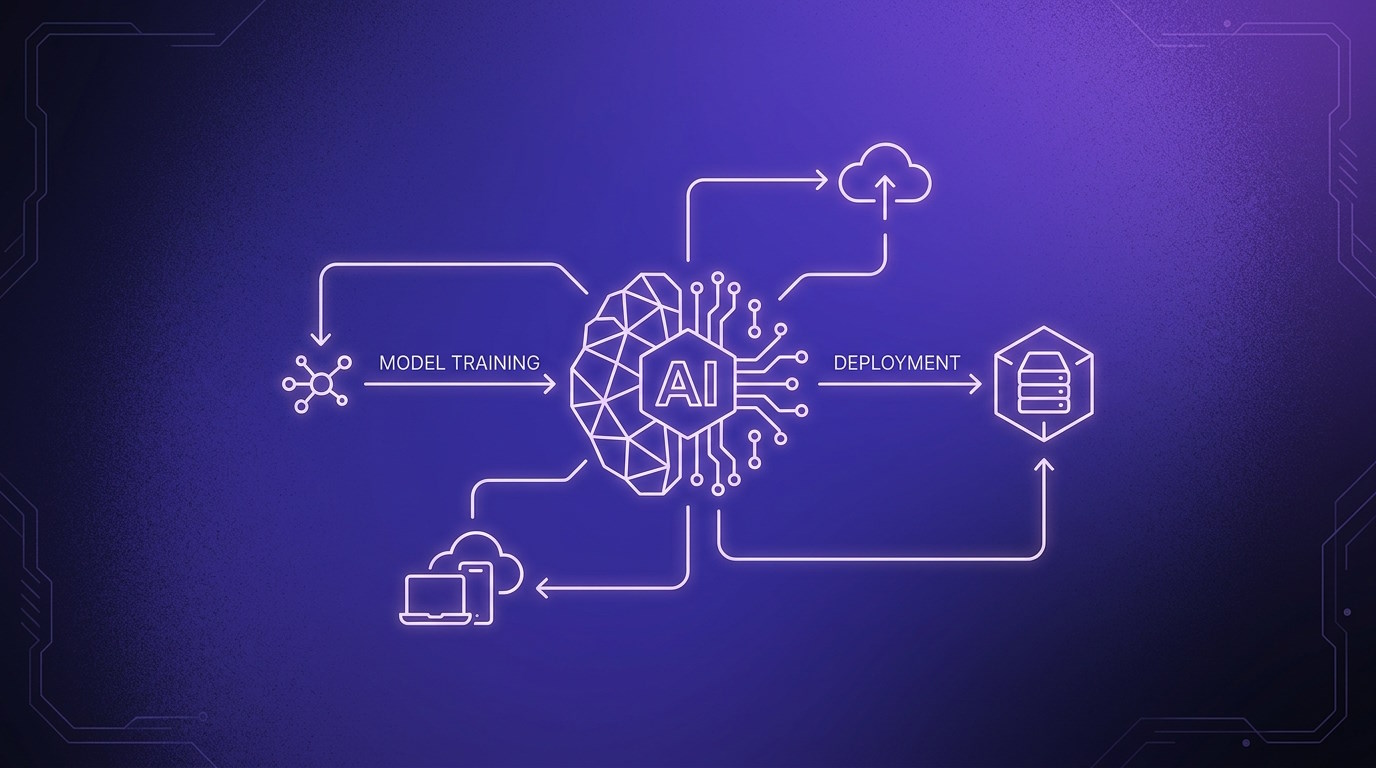


Monica Jansen
Sep 10, 2026
How to Deploy an AI Model in Production
To actually put it to work, you need to move it from development into an environment where real users and applications can access it. That’s where deployment comes in.
In this guide, we’ll show you how to deploy an AI model in production. You’ll learn how to prepare your model, choose the right infrastructure, test and monitor it, and keep it running smoothly.
- What Is AI Model Deployment?
- Preparing for AI Model Deployment
- From Development to Production
- Common Challenges
- Best Practices
What Is AI Model Deployment?
AI model deployment is the process of taking a trained model and making it available for real-world use.
Once deployed, the model can receive new data, process it, and return predictions or other outputs as part of an application or service.
In order to work reliably, the model needs the right infrastructure, software, and resources. It also needs to handle demand without sacrificing performance.
However, deployment doesn’t end once the model goes live. You also need to monitor how it performs, address potential issues, and update it when necessary.
Preparing for AI Model Deployment
Before deploying your AI model, you need to make sure it’s ready to perform outside the development environment. A model that works well during testing may face very different conditions in production.
Testing with realistic data can help reveal potential issues with accuracy, speed, and reliability. This gives you a chance to address them before the model goes live.
The model’s technical requirements are another important consideration. These include its frameworks and libraries, as well as the CPU, GPU, memory, and storage it needs to run effectively.
Additionally, expected demand should be taken into account. Having an idea of how the model will be used can help determine the resources and infrastructure needed to support it.
From Development to Production: Step by Step
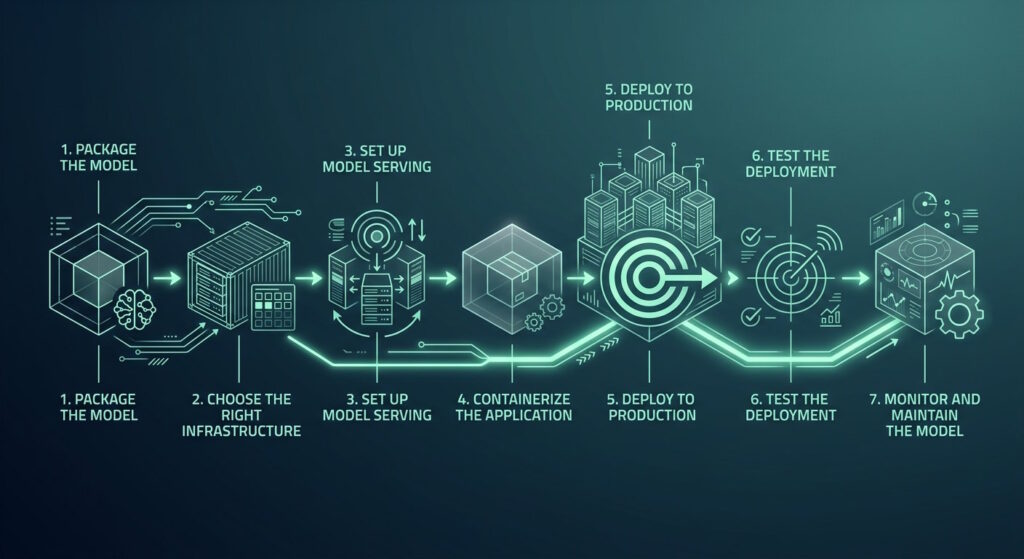
Once the preparation is complete, you can start moving the model into production. The exact process can vary depending on the model and infrastructure, but the main steps are usually similar.
1. Package the Model
The model needs to be saved or exported in a suitable format, such as ONNX, so it can be used in the production environment.
Any configuration files or other components it relies on should also be included so it can function correctly.
2. Choose the Right Infrastructure
The infrastructure should match the model’s technical requirements and expected demand.
Smaller models may run well on CPUs, while more demanding workloads can benefit from GPUs and additional memory. Scalability is also important if usage is likely to change over time.
3. Set Up Model Serving
The model needs a way to receive requests and return results. This is commonly handled through an API or a model-serving platform that connects the model to the application using it.
4. Containerize the Application
Containers can package the model, its code, and dependencies into a portable environment. Tools such as Docker make it easier to run the same setup across development, testing, and production.
5. Deploy to Production
Once everything is ready, the model can be launched on the chosen infrastructure. That may involve a cloud platform, dedicated server, a VPS, or another hosting solution suited to the workload.
6. Test the Deployment
Testing should continue after the model goes live. Checking response times, errors, resource usage, and output quality can help identify issues that may not have appeared during development.
7. Monitor and Maintain the Model
Once the model is running in production, its behavior can change as new data and usage patterns emerge.
Regular monitoring helps you spot these changes and respond before they affect the user experience. The model may also need to be retrained, updated, or scaled as its requirements evolve.
Common Challenges
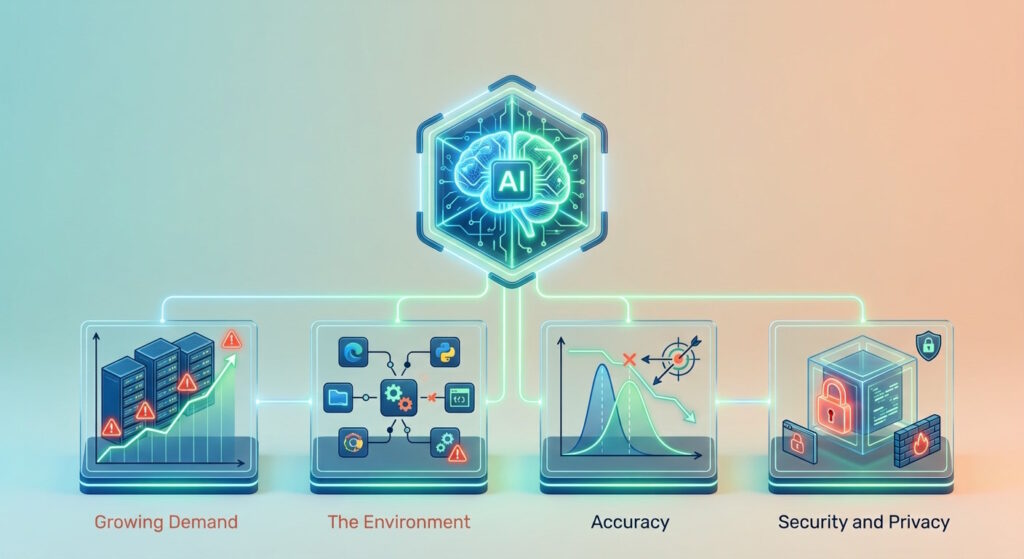
Even with careful preparation, deployment doesn't always go as planned.
Models have to operate under changing conditions, and problems may only become apparent once the model is in use.
Growing Demand
For example, growing demand can put more pressure on the infrastructure and even make a model temporarily unavailable.
The Environment
The environment it runs in can bring its own challenges. In particular, compatibility issues can arise if software versions, frameworks, or dependencies don’t work together as expected.
Accuracy
However, not every issue comes from the technical setup.
As new data begins to differ from what the model was trained on, the accuracy can gradually decline and make the model’s outputs less reliable.
Security and Privacy
Finally, depending on how the model is used, security and privacy may become a concern.
Processing sensitive or confidential information can create a risk of exposure or unauthorized access.
Best Practices
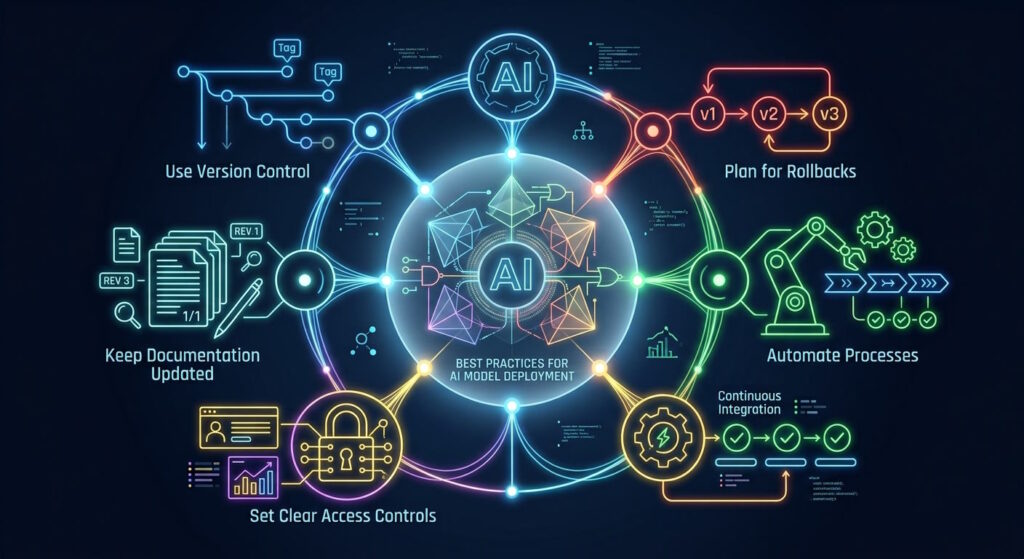
A successful deployment involves more than getting a model up and running. Following a few good practices can make future updates and ongoing management much easier.
Use Version Control
Version control helps you keep track of updates to the model, code, and configuration files.
It makes it easier to identify the source when a problem occurs, compare different versions, and coordinate work across a development team.
Plan for Rollbacks
Updates don’t always produce the expected results, so keeping a stable previous version available can come in handy.
A rollback plan lets you restore it quickly and reduce disruption if something goes wrong.
Automate Processes
Automation can simplify recurring tasks such as testing, validation, and deployment.
This saves time and keeps the process consistent each time a new version is released.
Set Clear Access Controls
People working with the model may need different levels of access to its data and infrastructure.
Setting clear permissions helps ensure they can only view or change what is relevant to their role.
Keep Documentation Updated
Documentation provides a useful record of the model, infrastructure, dependencies, and deployment process.
Keeping these records current speeds up troubleshooting and provides a reliable reference for future updates.
Final Thoughts
A reliable AI model starts with a well-planned deployment process.
Each step plays a role in creating a stable setup that can accommodate the model as it evolves.
Ultimately, thorough preparation and ongoing support allow the model to deliver consistent performance and achieve long-term success.
Author
Monica Jansen
Monica Jansen is a seasoned tech writer focused on web hosting and cybersecurity. She loves doing deep dives and whittling down difficult topics into simple and succinct concepts. Whether she is covering firewalls or different hosting plans, she always strives to provide clear guides that website owners of all skill levels can follow.
Add your comment
Get content delivered straight to your inbox


Your data.
Your choice.
Work with the best of the best — your projects deserve it.