Back to Blog




Look for feedback from other users on all themes and add-ons you pick, as it can reveal performance issues or known vulnerabilities, so you’ll know what’s worth your time.

Monica Jansen
Aug 5, 2026
Avoiding Server Downtime 101: Everything You Should Know
Though not many people see it that way, a website is a lot more than just a collection of webpages.
In fact, you can look at your site as your brand’s digital headquarters, or the very first impression many people will have of your business as a whole.
Similarly to a physical store, which has to occasionally close for repairs, websites can also go offline from time to time.
This can be quite damaging, especially if you do not take control of the situation and mitigate it as soon as possible.
In this guide, we’ll take a closer look at what website downtime really means, why it can be so damaging, and how to keep your site running smoothly around the clock by exploring:
- The Definition of Website Downtime
- Why You Should Prioritize Preventing Downtime
- 10 Proven Ways to Reduce Website Downtime
- Pick a Dependable Hosting Provider
- Schedule Automatic Website Backups
- Monitor Your Website’s Uptime
- Boost Your Website’s Performance
- Strengthen Website Security
- Handle Traffic Surges with Ease
- Schedule Routine Maintenance
- Use Load Balancing for Stability
- Install Secure Themes and Plugins
- Create a Disaster Recovery Plan
Read on!
What Is Website Downtime?
Website downtime refers to any period when visitors can’t access your site.
This phenomenon often happens because of overloaded servers, hardware malfunctions, or cyber incidents like DDoS (Distributed Denial-of-Service) attacks.
When downtime isn’t handled properly, it can harm your search engine visibility and cost you valuable leads or sales opportunities.
Typically, downtime occurs due to one or several common reasons, including:
- Server issues, including hardware malfunctions, overheating, or power problems
- Software issues—like corrupted systems, faulty configurations, or insufficient resources
- System or plugin update errors
- Sudden, unexpected traffic spikes
- Security breaches, including hacking attempts
- DDoS attacks, which flood sites with fake traffic, rendering them inaccessible to real users.
Whatever the cause, quick downtime mitigation and prevention are essential.
Why Preventing Downtime Should Be a Priority
Downtime might seem like a minor technical hiccup, but it can have serious consequences for your brand and bottom line.
Picture this: a customer visits your site to make a purchase, but instead of your homepage, they’re greeted with a 503 Service Unavailable error.
Chances are, they’ll leave and take their business elsewhere—possibly to a competitor who’s only a click away, fully available.
But customer loss is not the only issue that downtime causes. Here is how else it can hurt your company:
- Loss of revenue: Every minute your online store is down means missed sales and declining profits.
- Reputational damage: The inaccessibility causes customers to distrust your brand and view it negatively.
- Lower SEO rankings: Uptime and overall performance play a pivotal role in how well a website scores.
- Increased security risks: Hackers can easily exploit downtime and misconfigurations.
Long story short, maintaining uptime isn’t just a goal. Instead, it should be an essential part of every business owner’s success checklist.
After all, consistent website performance is key to maintaining trust, revenue, and long-term success.
10 Proven Ways to Reduce Website Downtime
Now, let’s go through ten practical strategies you can implement to minimize downtime and ensure your website stays accessible 24/7.
1. Pick a Dependable Hosting Provider
Your hosting provider plays a direct role in how reliably your website operates. Since your site’s data and content live on their servers, choosing the right host can make or break your uptime stats.
With so many options available, take the time to compare providers carefully. Keep an eye out for these important qualities:
- Uptime assurance: A trustworthy host should offer a strong uptime guarantee—ideally 99.9% or higher—and use modern infrastructure to minimize outages.
- Fast performance: Page load speed affects both user experience and SEO. Opt for hosts with high-performance servers and multiple data center locations worldwide.
- Advanced security: Downtime can result from cyberattacks, so ensure your host provides strong defenses such as firewalls, malware protection, and DDoS mitigation.
- 24/7 support: Technical issues can occur at any moment. Responsive customer support through chat, email, or ticketing can make all the difference.
- Room to grow: If your traffic spikes or your business expands, you’ll need scalable plans that allow you to upgrade seamlessly without service interruptions.
Abelohost combines all these features into comprehensive plans suitable for all businesses, making us the ideal choice for you.
Our global network of data centers, 99.9% uptime guarantee, and automated backups will keep your website running smoothly.
You’ll also benefit from built-in DDoS protection, malware scanning, free SSL certificates, and round-the-clock support from our team.
2. Schedule Automatic Website Backups
Downtime doesn’t just make your site unavailable: it can also cause valuable data to disappear.
As a result, customer details, order records, and account information can all be at risk if your website suddenly goes offline.
Imagine a visitor updating their profile or completing a purchase right before a crash happens. Without a recent backup, those updates may be lost for good, resulting in frustrated users and missed sales.
That’s why routine backups are essential for every website, whether you’re running a WordPress blog or a full-scale online store. They help in several key ways:
- Protecting your data: Backups preserve your website’s content and files, meaning that, if you experience a cyberattack, server malfunction, or accidental deletion, you can restore your site to its most recent version in minutes.
- Maintaining business continuity: Having a current backup means your online presence can bounce back quickly, minimizing disruption to your operations.
- Meeting compliance standards: Many industries require proper data protection practices, and automated backups can help you stay compliant by securely retaining customer information.
It also doesn't take much time to set up, so you only stand to gain from this step.
3. Monitor Your Website’s Uptime
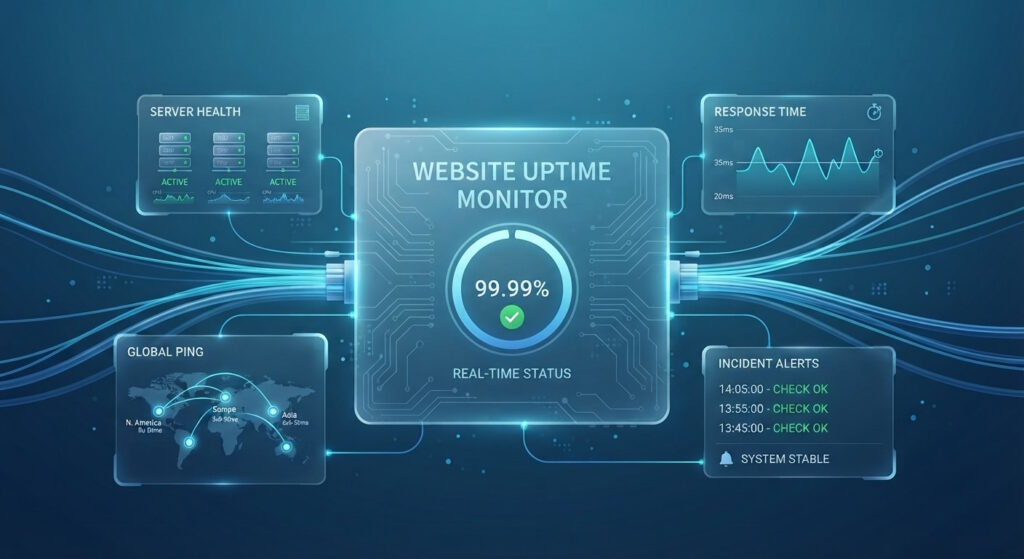
One of the simplest yet most effective ways to prevent extended downtime is to track your website’s performance in real time. Monitoring tools can help you with that.
They keep an eye on your site’s uptime and alert you the moment something goes wrong so you can fix issues before users even notice them.
Some of the most popular options include:
- UptimeRobot: A freemium service that checks your site every few minutes and sends immediate notifications if it’s unreachable.
- Pingdom: A well-known platform that combines uptime tracking with speed testing and performance analytics.
- Site24x7: A full-featured monitoring solution that offers detailed insights and customizable alert settings.
If you pick a reliable provider—such as Abelohost—you may also get access to state-of-the-art tools built into your hosting plan.
They will make monitoring your website even easier, and you will have access to all important data in a single place.
4. Boost Your Website’s Performance
As your audience grows, your server works harder to deliver content to more users. If it’s not optimized properly, your site can slow to a crawl—or even crash—under heavy load.
Improving your website’s performance not only reduces the risk of downtime but also creates a smoother, faster browsing experience for visitors. Simple optimization steps include:
- Compressing and resizing images to reduce file weight
- Minifying CSS, JavaScript, and HTML
- Enabling browser caching to speed up repeat visits
At Abelohost, performance optimization is built into every hosting plan. That way, you don’t have to worry about doing everything separately on your own.
5. Strengthen Website Security
Cybersecurity threats come in many forms—and all of them can lead to costly downtime.
Attacks like DDoS floods, malware infections, or phishing attempts can overload servers, compromise sensitive data, or force your site offline for cleanup and recovery.
To prevent this, it’s vital to proactively secure your website with layered protection. If you’re not a tech expert, partnering with a managed hosting provider makes it much easier.
They can help safeguard your site by providing you with:
- Automatic malware scanning: It detects and removes harmful code before it causes damage.
- Web Application Firewall (WAF): It filters out malicious traffic and keeps attackers from reaching your backend.
- Login security: Including two-factor authentication, which helps prevent unauthorized access and brute-force attempts.
- DDoS protection: It shields your site from traffic-based attacks that can cause outages.
- Free SSL certificates: To help you encrypt all data exchanged between your website and its visitors.
With these defenses in place, your website is protected from the most common causes of unexpected downtime—ensuring your business stays online, secure, and reliable.
6. Handle Traffic Surges with Ease
Typically, traffic spikes are an excellent thing for a brand.
That is, until they strain your server and trigger unexpected downtime, making your platform inaccessible.
To keep your site stable during high-demand periods, you’ll need a strategy for managing sudden surges in visitors.
Keep Track of Your Traffic at All Times
You can use analytics tools like Google Analytics to monitor visitor patterns and predict upcoming spikes.
For example, eCommerce stores often experience heavy traffic during sales or holidays, while travel sites see an influx during vacation seasons.
By knowing when to expect more traffic, you can do your best to prepare and give your visitors the best possible experience.
Optimize Your Database
You can do so by cleaning up unused data, compressing large tables, and enabling indexing to make your queries run faster.
An efficient database ensures that your site loads quickly—even when traffic skyrockets.
Keep an Eye On Your Hosting Resources
If you’re using shared hosting, be aware that other websites on the same server can impact performance. It’s important that you ensure your plan includes enough CPU, RAM, and bandwidth to handle traffic growth.
Implement Caching
By storing static elements (like images, scripts, and stylesheets) locally on a user’s device, caching minimizes requests sent to your server, improving performance during heavy loads.
Using all these tricks, you will ensure that your website can handle spikes seamlessly without slowing down or crashing.
7. Schedule Routine Maintenance
Keeping your website online is an ongoing process that requires regular attention. That is why performing scheduled maintenance is essential: it helps you catch issues early, enhance performance, and keep your site secure.
Therefore, it is smart to set up a maintenance schedule that fits your website’s size and complexity.
For smaller sites, monthly checkups might be enough; for larger or business-critical sites, weekly or even daily tasks could be necessary.
Here’s a practical maintenance checklist you can follow:
- Evaluate site performance: Look for slow-loading pages, unresponsive elements, or sections that aren’t working as expected.
- Update everything: Keep your CMS, plugins, extensions, and themes up to date to eliminate any security vulnerabilities.
- Run speed tests: Tools like PageSpeed Insights can reveal key optimization opportunities.
- Conduct security scans: Regularly check for malware, outdated scripts, or unauthorized changes.
- Check site visuals and functionality: After updates, review your site for broken links, missing images, or design inconsistencies.
- Keep a maintenance log: Record what was done, when, and why, as those records will make troubleshooting much easier in the future.
Lastly, if maintenance temporarily takes your site offline, create a friendly “under maintenance” landing page that informs visitors about the downtime and gives an estimated time for restoration.
After all, transparency helps maintain trust even when your site isn’t accessible.
8. Use Load Balancing for Stability
Load balancing distributes website traffic evenly across multiple servers to prevent any single one from becoming overloaded. This technique ensures your site remains stable and accessible even during heavy traffic periods or server outages.
To take advantage of load balancing, you’ll need a hosting provider with a global server network capable of routing visitors to the nearest and least busy data center.
Abelohost has servers that operate all across Europe, Asia, and North America. As such, we can help you reach your audience—and ensure they have a stellar experience—no matter where you are.
9. Install Secure Themes and Plugins
For WordPress sites, themes and plugins make it easy to add new features or improve your design.
However, they can also be a source of security vulnerabilities if you’re not careful. Outdated or poorly coded add-ons can expose your site to hackers, potentially causing data breaches or downtime.
To avoid any issues, it’s best to set certain ground rules when choosing and maintaining plugins or themes.
Download Everything from Trusted Sources
Stick to the official WordPress repository or reputable marketplaces like ThemeForest. Also, avoid downloading free add-ons from unknown websites, as they can cause a slew of issues and leave your site exposed.
Check reviews and ratings
Look for feedback from other users on all themes and add-ons you pick, as it can reveal performance issues or known vulnerabilities, so you’ll know what’s worth your time.
Look for Recent Updates
Only opt for themes and plugins that have been updated within the last six months. Regular updates indicate that the developer is maintaining security and compatibility, and that’s essential.
Test Everything Before You Go Live
By using a staging environment, you can try out new tools before deploying them on your main website. This lets you detect bugs or conflicts early and take any necessary steps to mitigate issues.
Remove Inactive Themes and Plugins
Namely, unused tools take up space and may still pose security risks, even when inactive. So, delete them as soon as you don’t need them, and you’ll be that much closer to stellar uptime.
10. Create a Disaster Recovery Plan
Even the most robust systems can experience unexpected incidents, no matter how careful and detail-oriented you are with prevention.
That’s why every website owner should have a disaster recovery plan (DRP)—a blueprint for restoring your site and operations quickly after a serious issue.
Here is how you can build an effective DRP:
- Identify critical assets and threats: That includes your website data, servers, and applications, and all the risks (cyber attacks, human errors, or server crashes) connected to them.
- Define recovery goals: How long your website can stay down and how much data loss you are able to withstand.
- Assign essential roles: A recovery coordinator and all team members responsible for helping them.
- Plan your response: Make clear-cut, step-by-step procedures for various scenarios and prioritize them based on potential impact.
- Back up everything: It’s the best way to protect yourself from data loss.
- Test and revise the plan often: Especially with any changes to the technology you use or the way you do business.
- Document everything: All contact info, restoration steps, and responsibilities so your team has access to it and can act fast during an emergency.
It does take a bit of work to develop a solid recovery plan, but it is incredibly useful to have in the long run and can be a literal lifesaver.
Conclusion
Your website is the foundation of your digital presence, and keeping it online is essential for maintaining trust, sales, and brand reputation.
Unfortunately, downtime can strike anytime due to server failures, traffic overloads, or security incidents.
By applying the practices covered in this guide, you can significantly reduce the risk of outages and ensure your site stays up and running.
With a proactive approach and the right hosting partner, your website can deliver a seamless experience to visitors 24/7.
Author
Monica Jansen
Monica Jansen is a seasoned tech writer focused on web hosting and cybersecurity. She loves doing deep dives and whittling down difficult topics into simple and succinct concepts. Whether she is covering firewalls or different hosting plans, she always strives to provide clear guides that website owners of all skill levels can follow.
Add your comment
Get content delivered straight to your inbox



Your data.
Your choice.
Work with the best of the best — your projects deserve it.